
Enable the 'Apply' Interstial
Displays a pop-up modal when a user clicks the Apply button before redirecting to the application site.
How to Enable
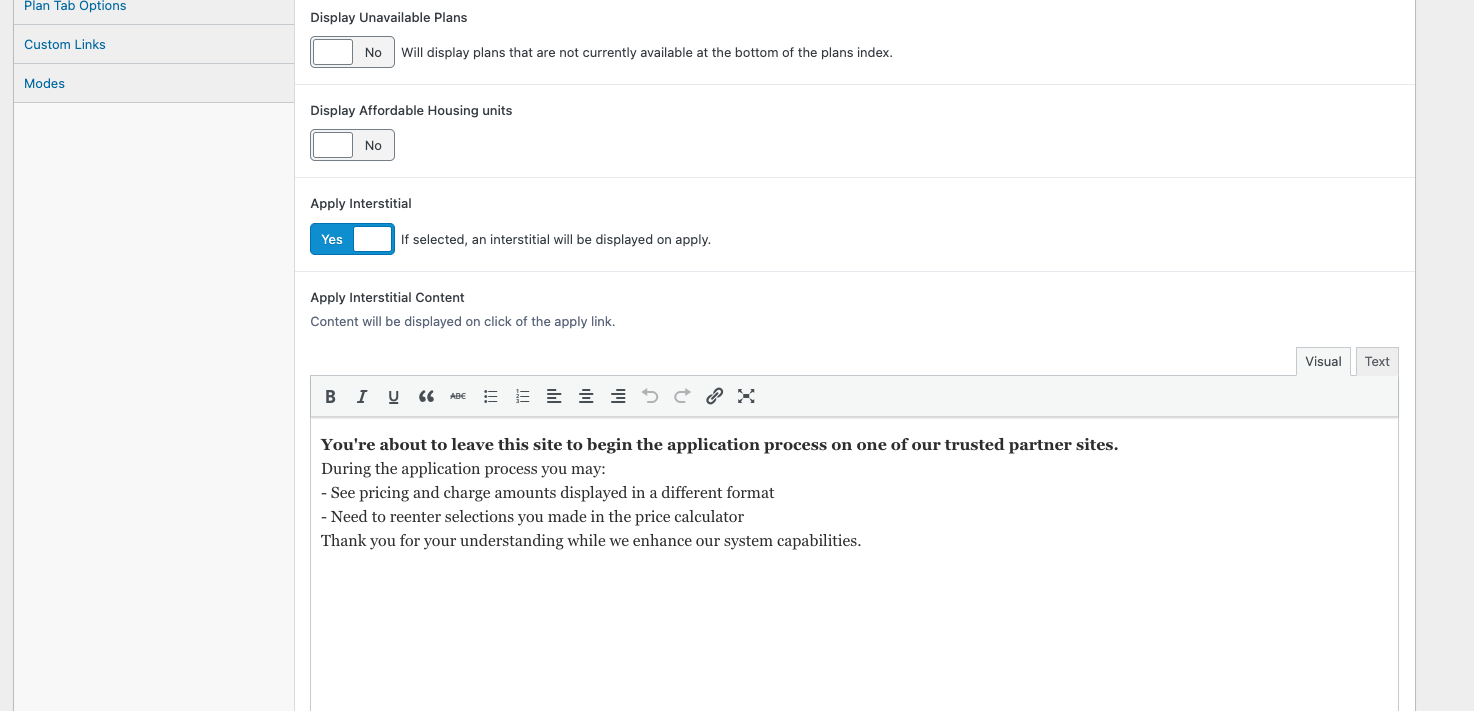
- Go to Spaces Settings → Plan Tab Options.
- Turn Apply Interstitial = Yes.
- Add your message in Apply Interstitial Content.
- Click Save.
Content Field
- Use the text editor to write the message shown in the modal.
- Supports basic formatting: bold, italics, bullet lists, links, and HTML via the Text tab.
Updated 11 months ago
Did this page help you?